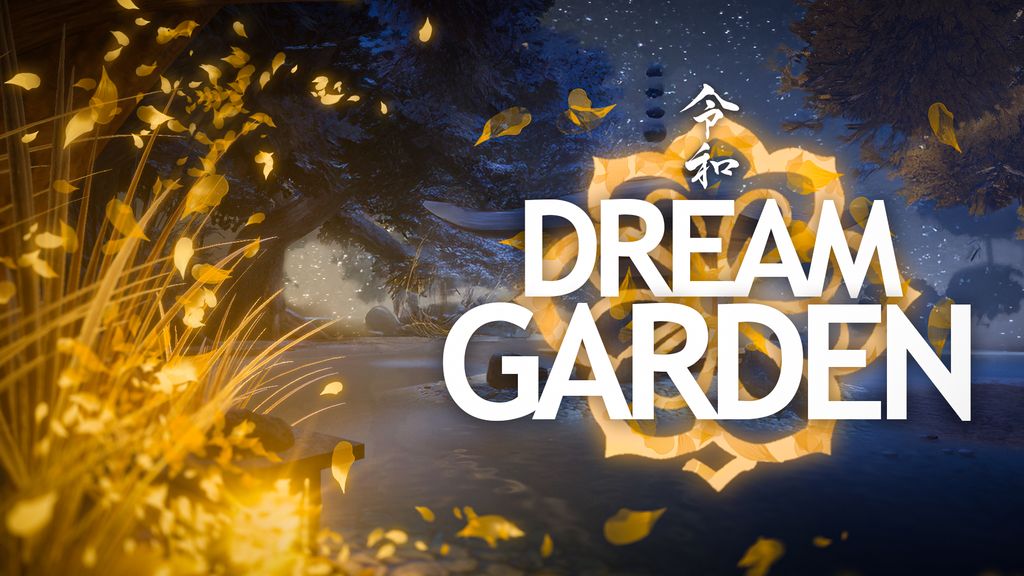
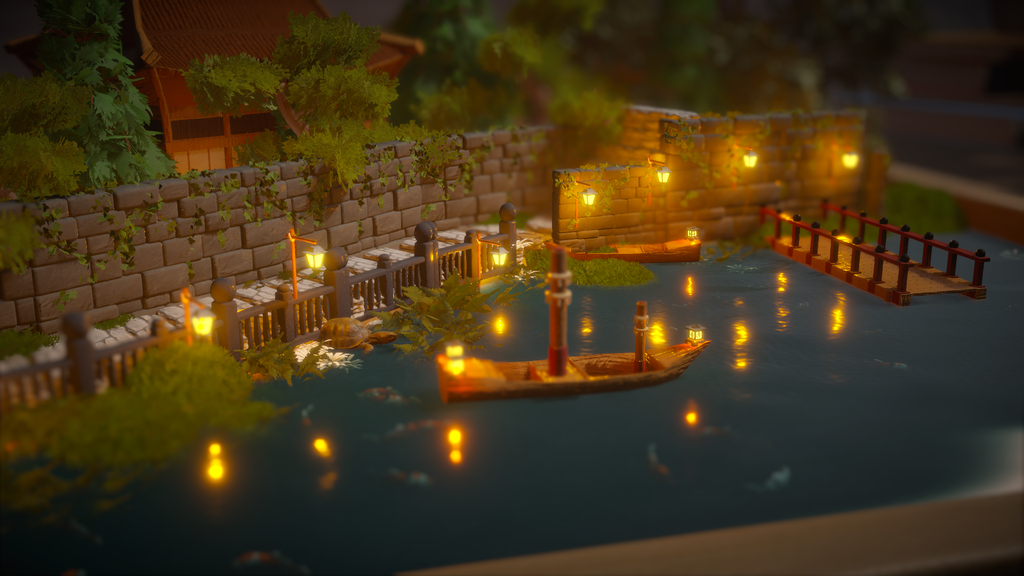
Dream Garden is a quietly exquisite sandbox that turns building Japanese‑style zen dioramas into a slow, meditative craft: no timers, no objectives, just a generous, tactile toolkit for shaping terrain, painting textures, and arranging trees, stones, bridges, lanterns, and even tiny animals to compose scenes that soothe. Sculpt hills, dig ponds, channel rivers, rake intricate sand patterns, and paint foliage with a brush tool that makes large edits feel effortless; tweak seasons, weather, and time of day to shift mood in an instant, and fine‑tune lights, sounds, and subtle animal animations to bring each vignette to life. The interface favors calm experimentation; undo/redo and duplication shortcuts keep ideas flowing; while the game’s lighting, textures, and ambient audio turn every placement into a small act of care. If you want a game that asks only for your attention and patience, Dream Garden delivers a polished, restorative space to slow down and build tiny pockets of peace.
Gameplay and tools
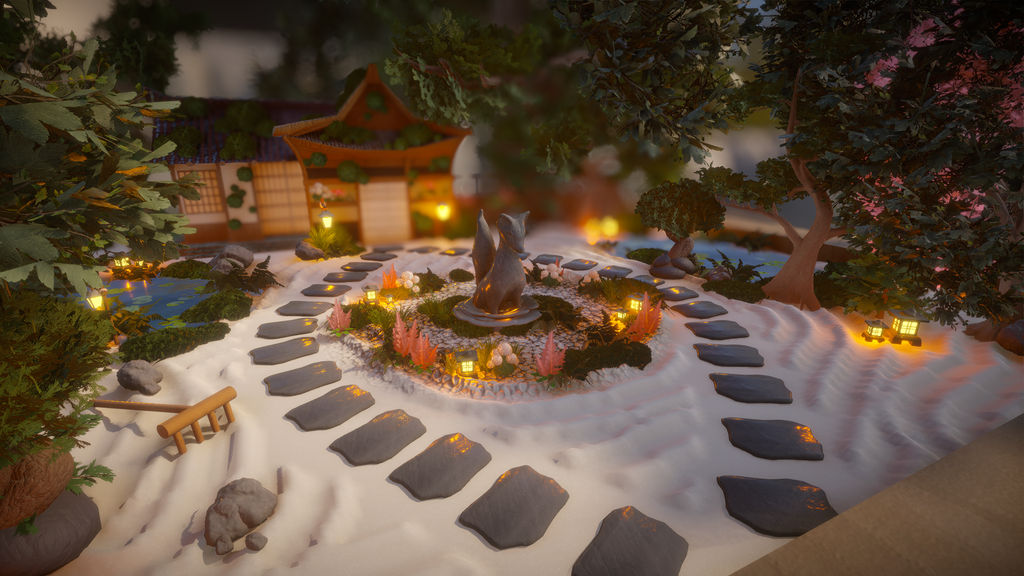
The core loop is pure, tactile creation: choose a diorama frame, sculpt the terrain, paint textures, and populate the scene with trees, stones, bridges, lamps, animals, and water until the composition sings. Tools feel intentionally physical and flexible; raise hills with variable brush sizes and angles, dig ponds and channel rivers, lay down grass, pebbles or sand, and rake intricate zen patterns with satisfying precision. You can place and fine‑tune each object by hand or “paint” swathes of foliage and decorations with the brush tool, then scale, rotate, and nudge pieces into perfect alignment. A compact radial menu keeps key tools within reach, while familiar shortcuts (Ctrl+Z, Ctrl+Y, Ctrl+D) make undo, redo, and duplication instant; so experimenting is effortless, iterations are fast, and creative flow is never interrupted.
Creative systems and customization
Dream Garden’s real strength is how much creative control it packs into an elegantly simple interface:
• Sculpt terrain with variable brush sizes, types, and angles to carve hills, ponds, and riverbeds.
• Dial seasons, time of day, and weather to evoke early‑autumn mist or late‑winter frost.
• Tune lighting per object by placing lanterns and lamps to paint scenes in warm glow or cool moonlight.
• Populate your diorama with living details with foxes, butterflies, fish, capybaras; each with subtle, toggleable animations that bring quiet motion to the composition.
• Use the brush tool to “paint” foliage and decorations or place items precisely by hand, then frame the result in a robust photo mode with filters and editing tools.
Together these systems let you craft scenes that feel lovingly handcrafted, from textures that sit between clay and realism, carefully controlled light and weather, and a rake tool that turns sand into a miniature, meditative artwork.
Presentation and polish
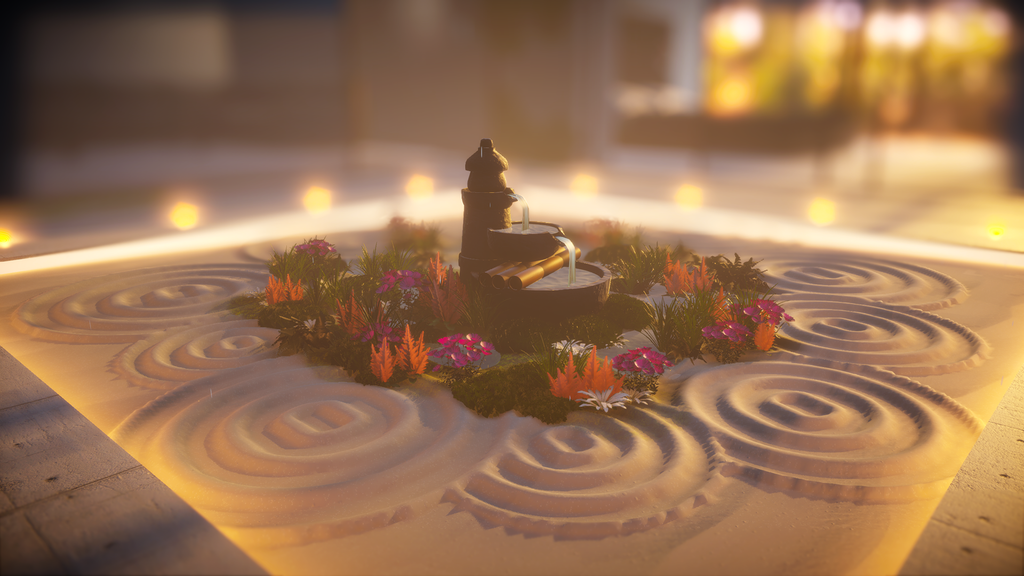
Visually and technically, Dream Garden is quietly impressive: pixel‑handcrafted textures, nuanced lighting, and layered ambient audio combine to create an atmosphere that actually slows your breathing. The lighting system is a standout; tweak brightness, color, and placement to shift mood from warm dusk to cool moonlit calm, and subtle shadowing and glow make lanterns and water feel tactile and alive. Many objects include tasteful sound cues; a crackling campfire, trickling water, rustling leaves; that sit in the mix without ever becoming intrusive, deepening immersion rather than distracting from creation. On the technical side the game is well optimized for modest hardware and reports of stable performance are strong; a range of graphical options lets you balance fidelity and framerate to suit your machine. Finally, the UI stays out of the way: the radial wheel keeps tools accessible and the interface uncluttered, so you spend more time composing scenes and less time hunting menus.
Rough edges and room to grow
The game is polished, but a few practical issues and content limits hold it back from being truly expansive:
• Asset variety: The current library of trees, animals, and decorations is pleasant but narrow; adding more fauna, varied lighting fixtures (string lights, paper lanterns, submerged lamps), and interactive props (working fountains, wind chimes, animated lanterns) would unlock fresh composition possibilities and encourage longer creative play sessions.
• UI clarity: Small, low‑contrast item icons slow the creative flow. A zoomable catalog, larger thumbnails, and a quick‑preview hover that shows scale and seasonal variants would make browsing faster and reduce friction during long builds.
• Discoverability: Several useful tools (water channeling, embedding objects into terrain, depth controls) are easy to miss. Contextual tooltips, short in‑editor micro‑tutorials, or an optional guided tour that demonstrates a few common workflows would help new players get productive without breaking the game’s calm tone.
• Save reliability: Losing a garden to a crash is a painful experience in a creation‑first game. Implementing a robust autosave cadence, an explicit “save as” option, and a lightweight version history would protect player work and remove a major barrier to experimentation.
• Camera and controls: A minority of players find the camera awkward in tight compositions. Adding camera presets (top, isometric, close focus), smoothing and orbit sensitivity sliders, and a “snap to object” framing option would make fine adjustments less fiddly.
These are incremental, high‑impact fixes rather than sweeping redesigns. Each change would improve day‑to‑day usability, reduce frustration, and meaningfully extend the game’s creative lifespan without compromising the tranquil, low‑pressure experience at the heart of Dream Garden.
Final Verdict
Dream Garden is a tenderly crafted creative sandbox that perfectly captures the art of slowing down. It gives you a low‑stakes, highly customizable studio for composing miniature Japanese‑inspired landscapes; sculpting hills, carving ponds, raking sand into meditative patterns, and placing lanterns so light itself becomes part of the composition. The toolkit is deep yet approachable: terrain brushes, seasonal and weather controls, per‑object lighting, and subtle animal animations let you shape mood and motion with satisfying precision. While a broader asset library and a few UX refinements would widen its possibilities, the game already delivers a profoundly restorative experience, arranging a quiet path of stones or watching capybaras amble by is genuinely calming. If you want a digital refuge to tinker, breathe, and make something quietly beautiful, Dream Garden is an excellent place to linger.
Watch and Wishlist
If Dream Garden’s calm, creative loop appeals to you, add it to your wishlist on your preferred storefront (Steam, Xbox, etc.) so you’ll be notified about discounts and content drops; keep an eye on the developer’s posts and the community hub for patch notes, sneak peeks, and user galleries that often preview new assets or quality‑of‑life fixes.
Watch for updates that expand the object library, lighting and save features, or addability of animals and interactive decorations, those are the kinds of patches that meaningfully widen creative options, and check community showcases and screenshots to see how other players are composing seasons, lighting setups, and photo‑mode scenes before you dive in.
Key Takeaways
• Core experience: Dream Garden is a calm, creation‑first sandbox focused on crafting Japanese‑inspired dioramas with no timers, goals, or pressure.
• Tactile toolkit: Robust terrain sculpting, paintable textures, a brush placement mode, and a satisfying rake tool make building feel physical and expressive.
• Deep customization: Per‑object lighting, season/time/weather controls, and subtle animal animations let you shape mood and motion with fine control.
• Accessible workflow: A compact radial menu and familiar shortcuts (Ctrl+Z/Y/D) keep iteration fast and forgiving, encouraging experimentation.
• Presentation and polish: Pixel‑handcrafted textures, nuanced lighting, and layered ambient audio create a tranquil, immersive atmosphere that supports slow, focused play.
• Areas to improve: The asset library, discoverability of some tools, save reliability, and small UI icons could use refinement to reduce friction and expand creative options.
• Who it’s for: Ideal for players seeking a low‑stakes, meditative creative outlet; artists, chill sandbox fans, and anyone who wants a digital place to slow down.
• Replay potential: The game is already a soothing, polished toolkit; additional assets, clearer tutorials, and stronger save/autosave systems would significantly extend longevity.
Game Information:
Developer & Publisher: Campfire Studio
Platforms: PC - Steam (reviewed)
Release Date: November 3, 2025
Score: 8.0 / 10
A serene, polished creative experience that soothes and inspires, Dream Garden already delivers a deeply satisfying toolkit for sculpting miniature landscapes. With a broader asset library, clearer UI thumbnails and catalog browsing, and more robust save/autosave and versioning safeguards, the game would transform from a delightful sandbox into a long‑term creative studio; one that invites repeated returns and ever more ambitious compositions.